
Minga
Minga Solutions IncEducation
3.2426.00 Reviews
- Version
- 7.22.1
- Installs
- 100.00K
- Age Rating
- Everyone
Screenshots
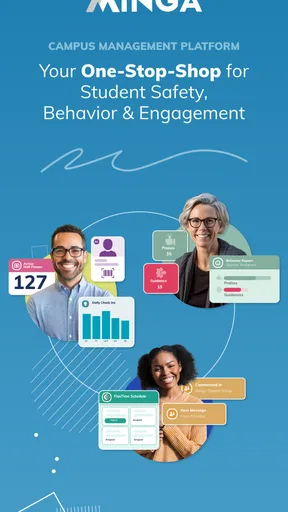
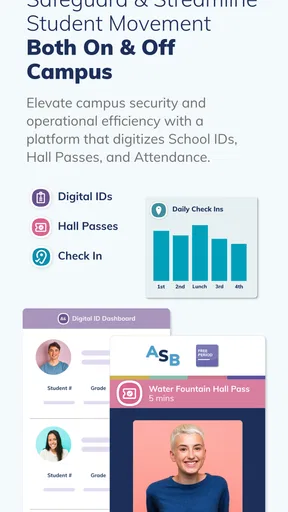
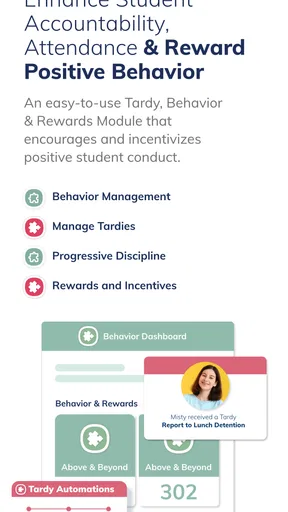
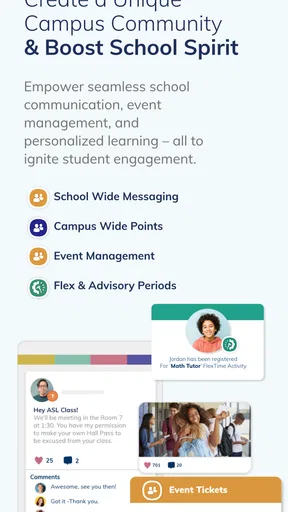
Our Review of Minga
 Analysis by Appyee
Campus apps often feel useful during the first few days and forgettable soon afterward. My experience with Minga is more nuanced: it is an education app built around keeping a school community connected, and its value depends heavily on whether your school has made it part of everyday routines. When the right information, reminders, and participation tools are gathered in one place, it can reduce the need to chase updates across scattered channels. When the surrounding school community barely uses it, the app becomes much less compelling.
That distinction matters more here than with a typical standalone learning tool. Minga is not something I would open simply to study a lesson or practise a skill on my own. It is designed by Minga Solutions Inc for a shared campus environment, so the experience is shaped by the school, its staff, and the habits of students and families. I would recommend it to someone whose school actively relies on it, but I would not install it expecting an immediately useful education library.
What Minga feels like during the first week
The first-week appeal comes from consolidation. Instead of treating school communication as a collection of unrelated notices, the app aims to create one connected space for campus life. That can be especially helpful at the beginning of a term, when students and families are adjusting to schedules, activities, reminders, and changing expectations. The benefit is not that every individual update is remarkable; it is that the user has a clearer place to look.
I found the concept most convincing when imagining a normal school morning. A student checks the app before leaving home, notices a campus announcement, remembers an activity after classes, and avoids relying on a message buried in a general chat. A parent can also use the same central point to stay aware of school communication rather than asking a child to forward every detail. The app earns its place quickly when it replaces that kind of repeated searching.
There is also a psychological advantage to a campus-focused tool. General messaging apps are flexible, but they mix school information with personal conversations, entertainment, and unrelated alerts. Minga’s purpose is narrower. That focus can make school communication feel more intentional, particularly for users who struggle to keep track of information spread across email, paper notices, classroom platforms, and social channels.
Its free price removes the most obvious barrier to trying it, and the Everyone content rating makes it suitable for a broad school audience. The app has been available since late September 2018, so it is not a brand-new experiment looking for its first users. Its current version is 7.22.1, and it runs on Android 8.0 or later. Those details make it approachable for many existing devices, although anyone using an older phone should check compatibility before planning around it.
The setup depends on the school, not just the download
The most important early question is not “What can I do with this app by myself?” but “How does my school use it?” A school-centered platform cannot create a connected campus through installation alone. Staff need to publish useful information, students need a reason to check it, and families need to understand which updates belong there. If those habits are missing, the first-week experience may feel quiet or incomplete.
This is where Minga differs from a personal education app. With a language-learning app, a learner can usually begin immediately and measure progress alone. With Minga, the quality of the experience is partly outside the user’s control. I would therefore ask a school administrator or teacher which announcements, activities, and communication tasks are expected to happen in the app before deciding whether it deserves daily attention.
A practical tip is to establish one checking routine rather than allowing notifications to dominate the day. For example, a student might look once before school and once after classes, while a parent might review it during an existing evening planning habit. This makes the app useful without turning every alert into an interruption. The goal is to make Minga part of a routine, not another source of digital noise.
Why the value either grows or fades month by month
After the novelty disappears, the app has to prove that it saves effort repeatedly. In my view, its strongest long-term case is as a dependable campus reference point. If important school information continues to appear there, the app can become a habit with a clear purpose. I would not open it for entertainment or casual browsing; I would open it because it reduces uncertainty about what is happening at school.
That recurring value is particularly relevant for students managing several responsibilities. Someone moving between classes, clubs, events, and family commitments benefits from a consistent place to review campus-related information. The app is also more useful for families who do not want to depend entirely on a student remembering every announcement. A shared source can reduce the number of small conversations that begin with “Did the school say anything about this?”
Still, consistency is the deciding factor. If updates arrive irregularly, or if only a small part of campus communication appears in the app, users may return to older alternatives. Email remains better for formal messages that need a searchable record. A school website may be better for permanent documents and broad public information. A classroom platform may be better for assignments and academic feedback. Minga makes the most sense when it complements those tools as the campus-facing layer rather than trying to replace every system.
This trade-off is easy to miss during the first week. A clean central space can feel like a complete solution, but schools often have different communication needs. I would judge the app after a full cycle of ordinary school life: routine announcements, schedule changes, activities, and quieter weeks. If it continues to answer practical questions during both busy and uneventful periods, it has lasting value. If it is only active during launch or special events, the habit may not survive.
A realistic monthly routine
Consider a student who has classes during the day and an after-school activity twice a week. At the start of the month, the student checks Minga for campus updates and makes a habit of reviewing it before leaving school. A parent checks later in the evening. When that routine prevents missed information or reduces repeated messages at home, the app is doing something useful without demanding much time.
The same routine can expose its weakness. If the activity details are posted elsewhere, if announcements are incomplete, or if the family still has to search several channels, Minga becomes an additional stop rather than a simplifying one. My advice is to track the app’s practical contribution for a few weeks: does it help you find information faster, remember school obligations, or stay connected to campus life? If the answer is consistently no, keeping it installed may be habit without benefit.
For staff, the monthly value has a different shape. A school communication tool is only as good as the publishing discipline behind it. The more carefully staff use the same space for recurring updates, the easier it is for students and families to learn where to look. But that also creates a maintenance obligation for the school. An abandoned or inconsistently updated campus app can damage trust faster than a simple, familiar communication method.
The maintenance burden for students, families, and schools
For an individual user, Minga is not especially demanding if the school has already organized its use. The main maintenance task is checking relevant information and keeping the app available on a compatible device. The larger burden falls on the institution: deciding what belongs in the app, keeping communication current, and making sure users know which channel is authoritative for different kinds of information.
This division of responsibility is important. A student may blame the app for feeling empty when the real issue is limited campus adoption. Conversely, a school may assume that installing the app solves communication problems without setting clear expectations. In practice, lasting value requires a simple agreement: users should know what they can expect to find in Minga and how often they should check it.
One useful workflow is to separate urgent information from reference information. A user can treat timely notices as something to review promptly, while using the app’s broader campus content as a regular planning resource. I would avoid checking every alert immediately unless the school clearly uses the app for time-sensitive communication. This protects attention and makes the habit sustainable.
Another practical insight is to keep Minga in the same mental category as a school planner, not a social feed. That mindset changes how I use it. I look for information that affects my day, my family’s planning, or my participation in campus life. I do not expect endless new material. This makes quiet periods feel normal instead of making the app seem broken simply because there is nothing new every hour.
The app’s broad age suitability is helpful for mixed school communities, but different users will still need different habits. Students may want quick daily checks, while parents may prefer a less frequent review tied to evening planning. Staff need a publishing rhythm. Treating everyone identically could create unnecessary fatigue, especially if alerts are not equally relevant to every member of the campus.
Where long-term fatigue can begin
The main source of fatigue is duplication. If the same announcement appears in Minga, email, a classroom system, a website, and a messaging group, users may stop knowing which version matters. More channels do not automatically mean better communication. The app earns lasting space only when it removes confusion rather than adding another place to monitor.
Notification pressure is another concern. Even a useful campus tool can become annoying when every minor update feels urgent. I would review the device’s notification controls and keep only the alerts that genuinely help with daily planning. A quieter setup often produces better long-term engagement than leaving every notification enabled and eventually ignoring them all.
There is also a social adoption problem. A connected campus requires participation across groups, and users may have very different experiences depending on whether their teachers, administrators, and families use the platform consistently. Someone joining an active school environment may find Minga practical from the start. Someone in a school that still relies on unrelated channels may see little reason to return after the initial download.
The average rating of 3.2 from around 1.1 thousand ratings suggests that the experience is not universally smooth, even though the app has passed the threshold of more than 100 thousand installs. I would read that combination as a reason to set realistic expectations rather than as an automatic rejection. Minga’s usefulness is unusually dependent on implementation, so a mixed public response may reflect differences between school communities as much as differences in individual preference.
It is also not the right choice for every education need. If you want structured lessons, independent practice, detailed assignment management, or a personal study plan, a dedicated learning platform will probably serve you better. If your main need is formal family communication with a searchable archive, email or a school portal may remain more suitable. Minga is strongest in the space between those tools: shared campus awareness and everyday connection.
Small habits that make the experience easier
Decide what Minga is responsible for in your school before adding it to your daily routine. This prevents you from expecting it to replace classroom or administrative systems.
Choose two predictable checking times instead of reacting to every alert. A stable habit is more sustainable than constant monitoring.
Compare the information you receive across channels during the first few weeks. If Minga consistently provides the clearest campus updates, it has earned a regular place in your routine.
For family use, agree on who checks which type of information. That avoids everyone checking everything while still reducing the chance that an important notice is missed.
These habits also answer a common practical concern: does installing Minga automatically make a school community more connected? No. The app can support connection, but it cannot replace clear communication practices. Its lasting usefulness comes from repeated, predictable use by the people and institutions around it.
My long-term verdict on Minga
After the first-week appeal fades, I see Minga as a conditional but worthwhile education app. It can earn permanent space on a student’s or parent’s phone when the school actively uses it as a central campus communication point. In that situation, the free access, broad age rating, and focused purpose make it easy to keep available without much personal maintenance.
I would recommend it to students, families, and educators who want a shared campus hub and already know that their school supports the platform. I would also recommend giving it a fair trial based on an ordinary month rather than judging it from one quiet day. The most meaningful test is whether it helps you plan, notice, and participate with less searching.
I would skip it, or at least avoid making it a core habit, if your school rarely updates it or continues to distribute the same information through several unrelated systems. In that case, a school portal, email, classroom platform, or direct messaging channel may be more reliable for your particular need. The app is not a universal replacement for those alternatives.
My final impression is that Minga earns lasting value through routine, not novelty. It does not need to be opened constantly to be useful. It needs to be the place users can reasonably trust for the campus information their school has chosen to put there. When that expectation is met, it becomes a practical part of school life. When it is not, the download alone cannot create the connected community the app is meant to support.
For readers deciding whether to try it, my advice is simple: install it if your school has a clear plan for using it, set a modest checking routine, and judge the app by the effort it removes after several weeks. That is where Minga either becomes a stable everyday tool or reveals that another communication option fits your campus better.
Verdict
Strengths of Minga
- Simple way to discover and join local activities and events.
- Helps users connect with people who share similar interests.
- Useful for finding nearby opportunities and community initiatives.
- Clean interface makes browsing available activities straightforward.
- Can encourage more active participation in local community life.
Limitations of Minga
- Activity availability may vary considerably by location.
- Some features may require creating an account and sharing personal details.
- Smaller communities may have limited listings or user activity.
- Notifications can become distracting if too many updates are enabled.
- The app’s usefulness depends heavily on regular organizer participation.
Similar Picks in This Category
View All
Duolingo: Language Lessons
Duolingo4.7

Google Classroom
Google LLC2.8

Unacademy: Learn & Crack Exams
Unacademy3.2

Bible App for Kids
Life.Church4.4

Cake - Learn English & Korean
Cake Corp.4.7

Brainly: AI Homework Helper
Brainly4.5
Frequently Asked Questions
What is Minga, and what can I use it for?
Minga is a digital application designed to bring its services and features together in one convenient place. Depending on the version and platform, users may be able to create an account, manage personal information, access available tools, and interact with content or other users. Before downloading, check the official listing to confirm the exact features offered in your country and on your device.
Is Minga free to download and use?
Minga may be available as a free download, but some features or services could require payment, a subscription, or in-app purchases. The basic installation cost and any optional charges are normally shown on the Google Play Store or Apple App Store page. I recommend reviewing the pricing section, renewal terms, and cancellation policy before registering or entering payment details.
What information does Minga require during registration?
The registration process may request details such as your name, email address, phone number, date of birth, or other information needed to create and secure an account. The exact requirements can vary by platform and region. Before signing up, read Minga’s privacy policy to understand how your data is collected, stored, used, and shared with service providers.
Is Minga safe to install and use?
Minga should be downloaded only from its official Google Play Store or Apple App Store listing to reduce the risk of installing an altered or unsafe version. Check the developer name, recent reviews, requested permissions, and update history before installation. Avoid granting access that seems unrelated to the app’s purpose, and use a strong, unique password for your account.
Which devices are compatible with Minga, and does it work offline?
Compatibility depends on the current Android or iOS requirements published in the official store listing. Minga may need a relatively recent operating system and a stable internet connection for account access, synchronization, messaging, or online content. Some information might remain available offline, but you should not assume full functionality without internet access; verify the requirements before downloading.
